
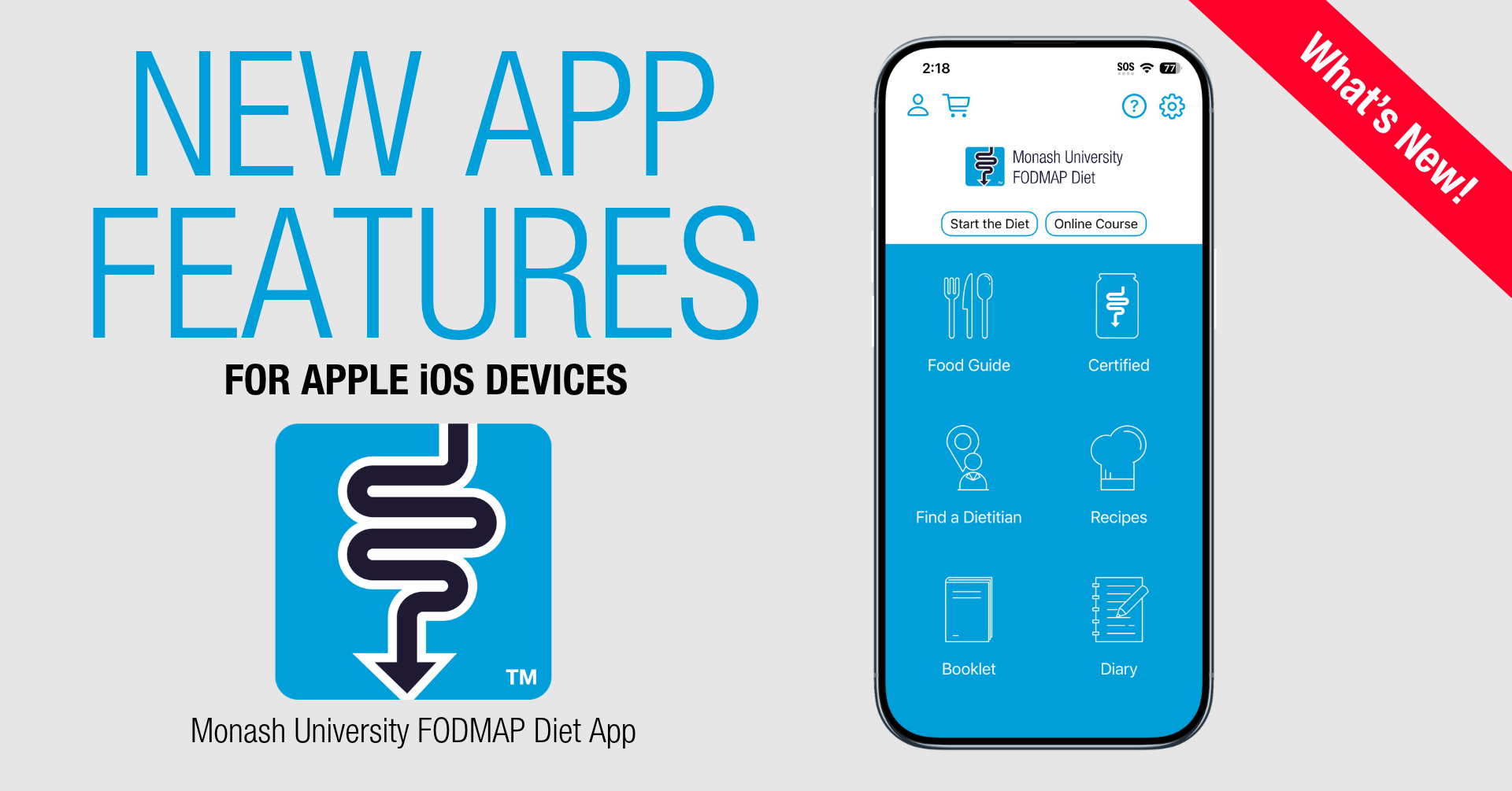
We always aim to make improvements to the Monash FODMAP Diet App based on reviews and feedback from our users, and so we’ve been working behind the scenes to bring a number of exciting new features to the app! These updates are designed to make your low FODMAP journey smoother, whether you’re navigating it independently or alongside a FODMAP-trained dietitian.
At this stage, these updates are only available in the iOS version of the app. For our Android users, these will be on their way to you soon!
To access these new features, your iOS must be minimum iOS 18, and the app must be at minimum Version 5.0.1 or above. In the App Store, select the avatar icon at the top right corner of the App Store homepage, then scroll down to search for our app and select ‘Update’. You can also simply search for ‘Monash FODMAP’ in either app store and select ‘Update’ when you have located the app.
To check your app version, go to Settings on the app home screen, scroll down to About this App, and look for the version number listed there.
Check out what’s new below!
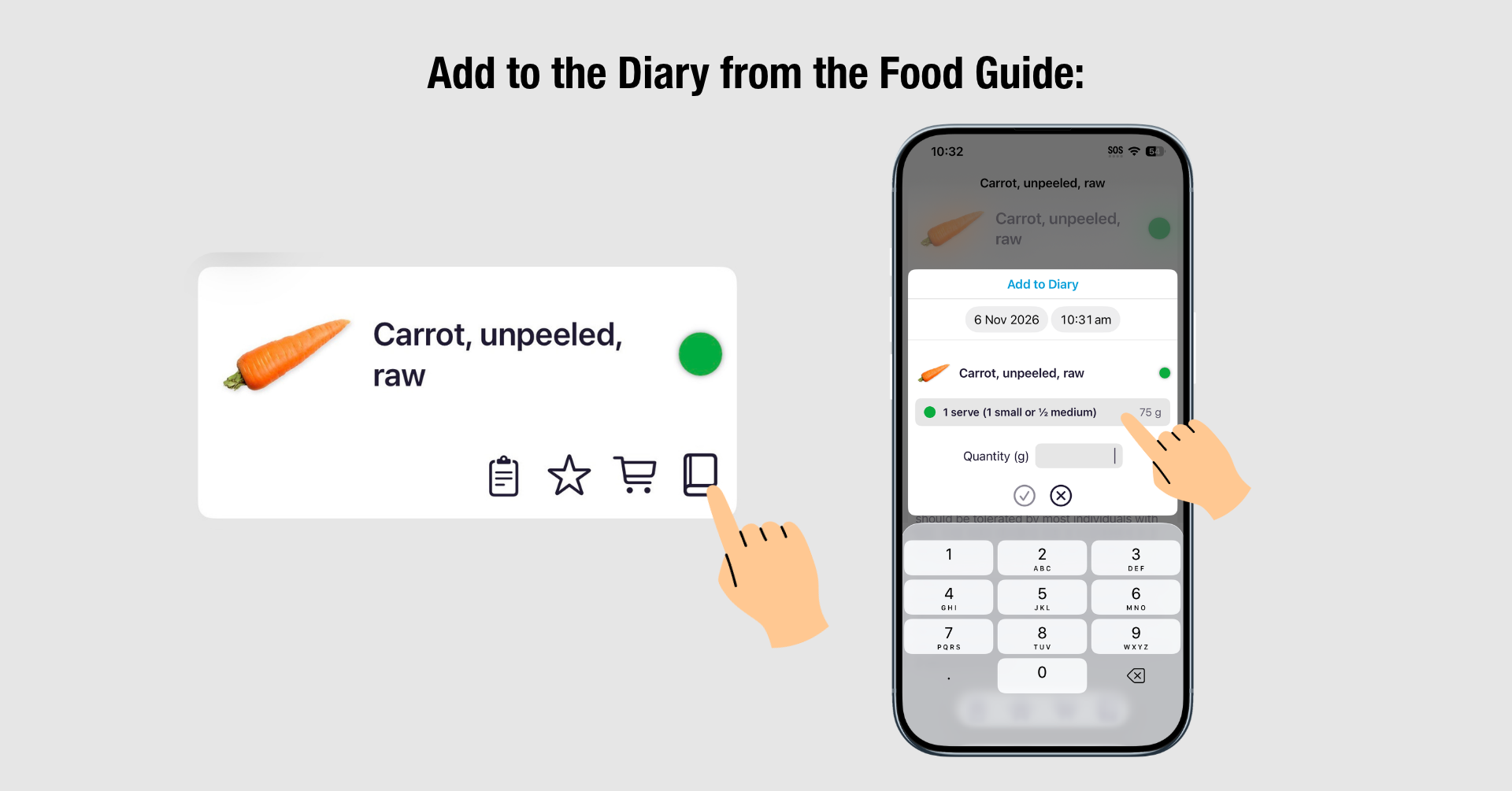
You can now log foods straight from the Food Guide into your Diary! Choose your food entries based on the low (green), moderate (amber), or high (red) portion sizes in the Food Guide, or enter a custom amount in grams or ounces.
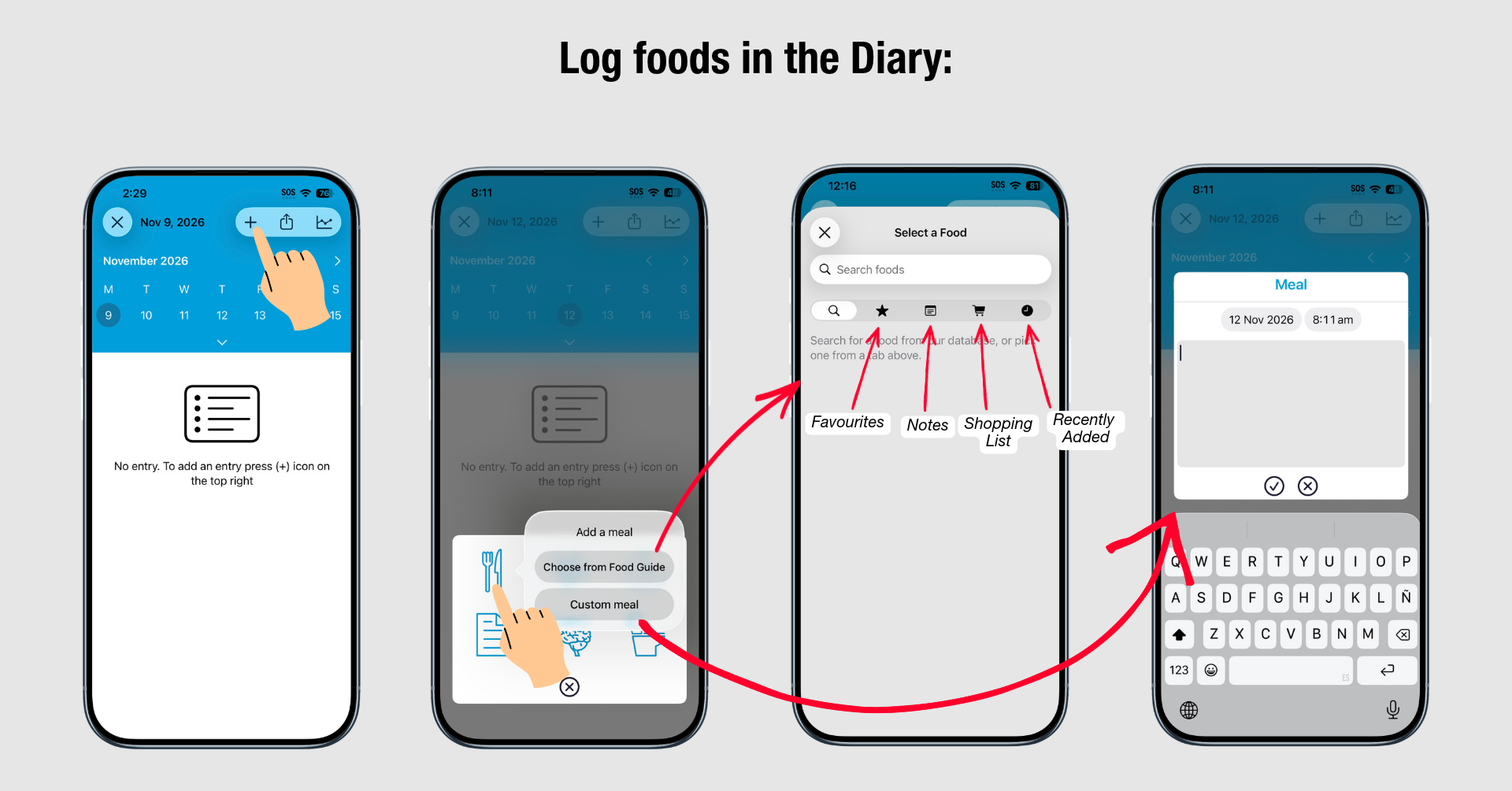
When adding meals to your Diary, quickly select from your Starred, Notes, Shopping List, or Recently Logged items instead of searching from scratch every time.
Stay on track during your reintroduction step with helpful notification reminders. Receive prompts to:
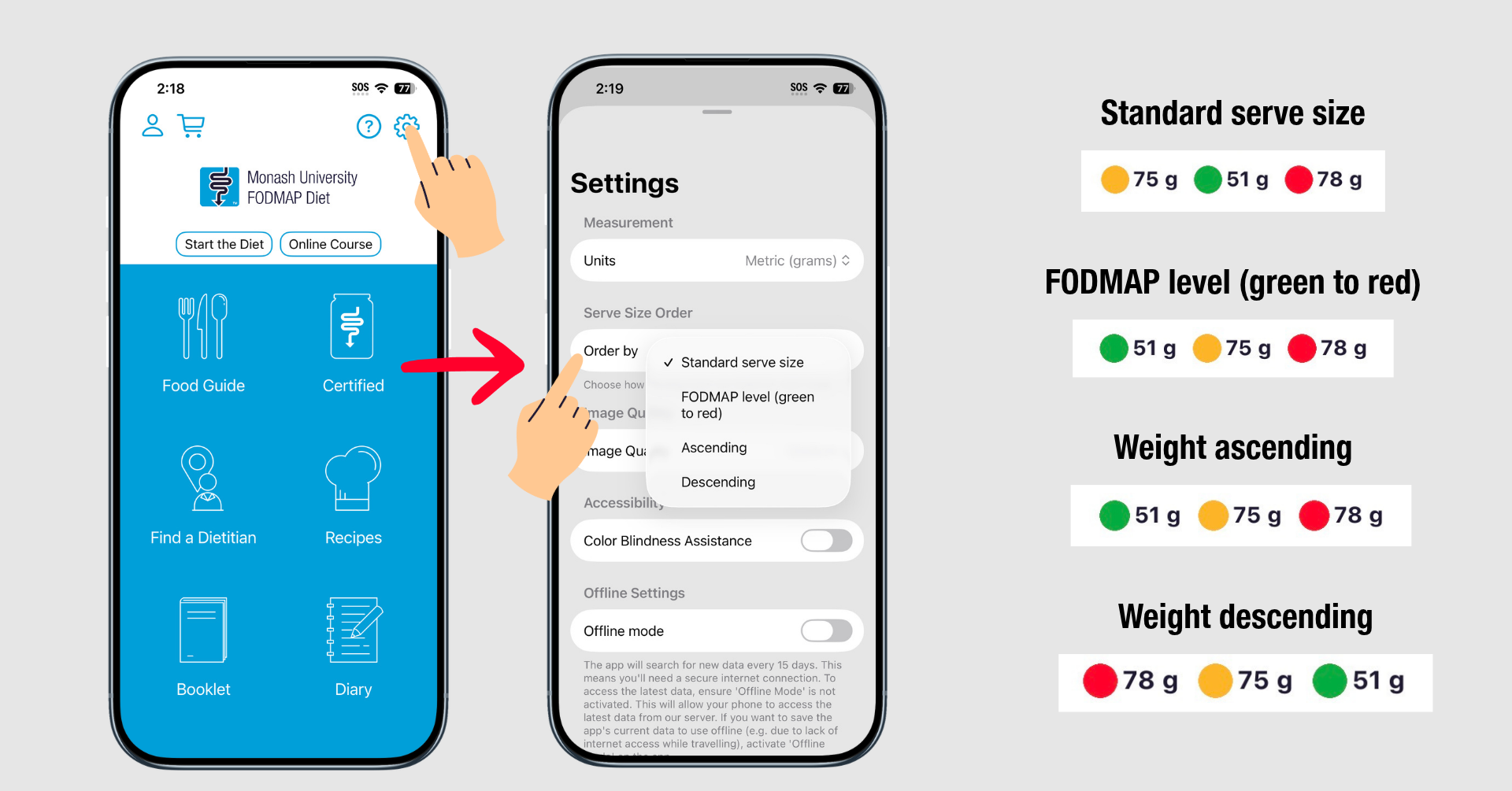
You can now choose how serve sizes are displayed in the Food Guide. The main traffic light icon still shows the overall rating, but the order of the individual serves below the food can now be changed based on your preference. Choose the order of the serve sizes based on:
Note - if you have custom filters active, this shows the maximum tolerated green portion.
Your app data, including diary entries, shopping lists, filters, notes, and favorites, now automatically syncs across all Apple devices connected to the same Apple ID when iCloud is enabled. iCloud must be turned on in both the phone settings and the app settings.
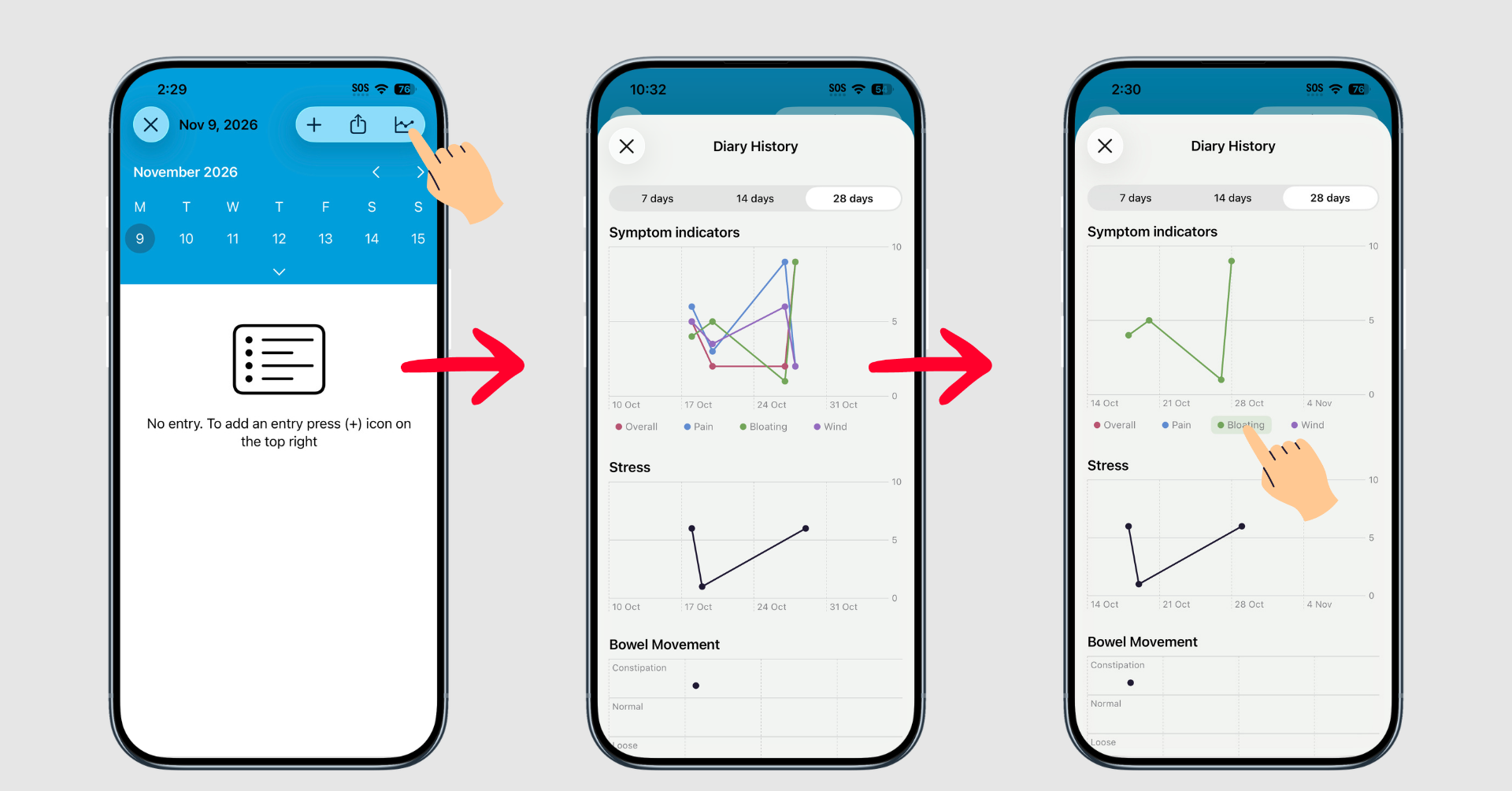
Track symptoms, stress levels, bowel movements, and reintroductions over time in the new Diary History tab. Analyze patterns over a 7, 14, or 28-day window to share insights with your dietitian. Hold your finger down on one of the tabs to view an individual pattern in the chart.
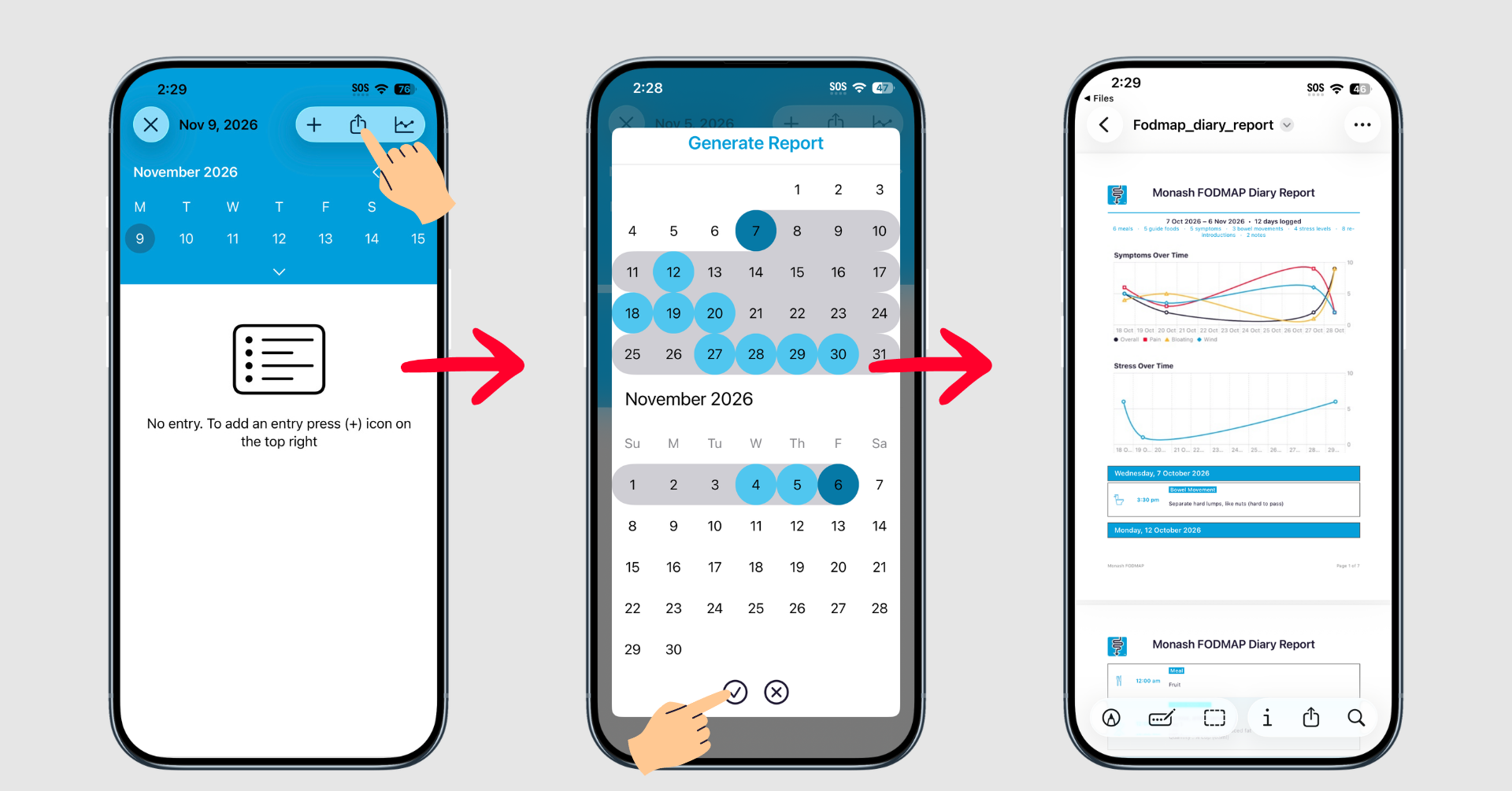
Export your Diary entries and trend charts into a clean PDF summary. Select your preferred date range and export format, then generate a report to review yourself or email directly to your dietitian.
If you are new to the app or need a refresher of other main features of the Monash FODMAP Diet App, head to this blog article here, where we provide a comprehensive walkthrough of all the features in our app. If you’re new to IBS and FODMAP, we recommend speaking with your FODMAP-trained dietitian on how to make the most out of our app, based on your clinical and personal needs.
 FODMAP Assistant
