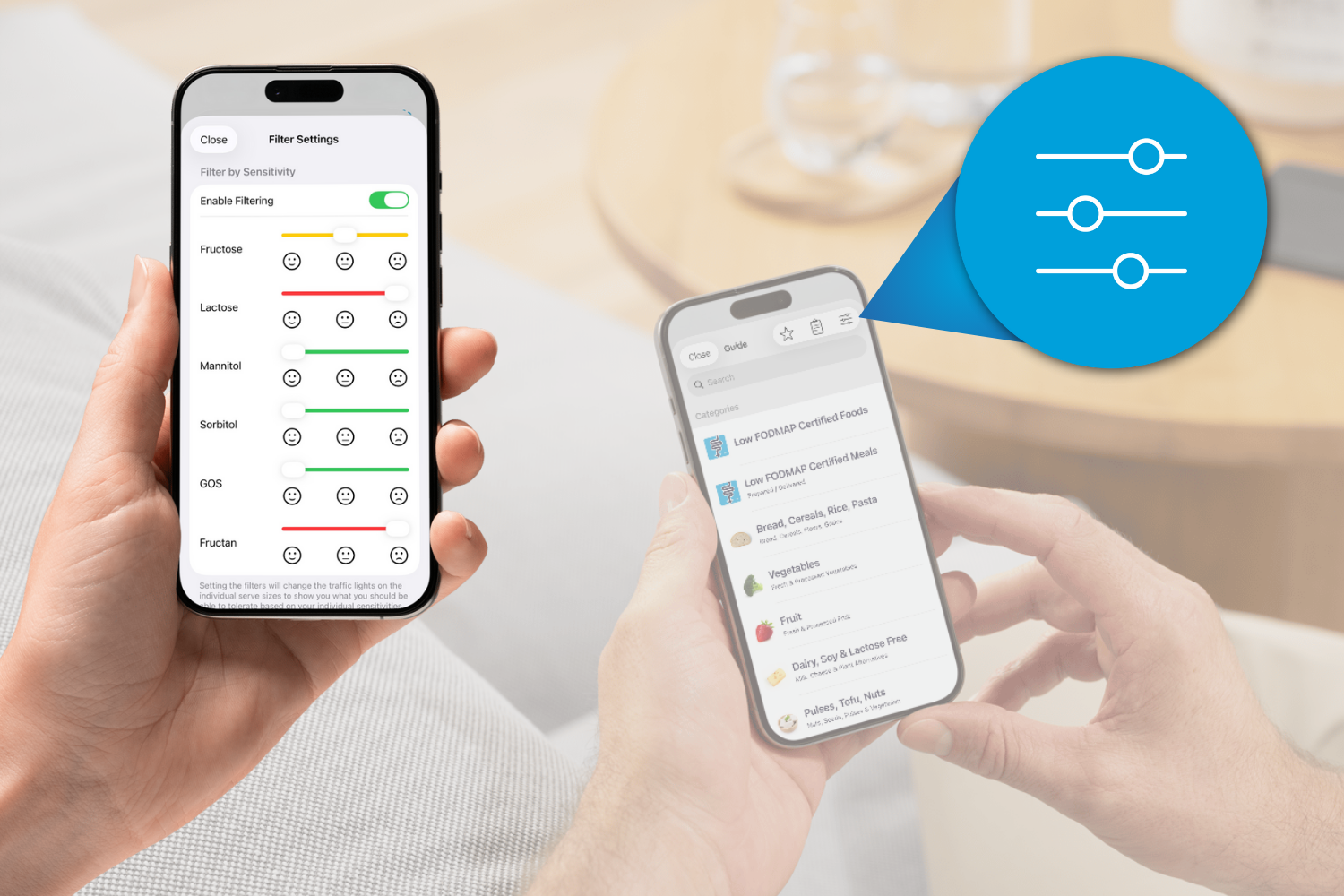
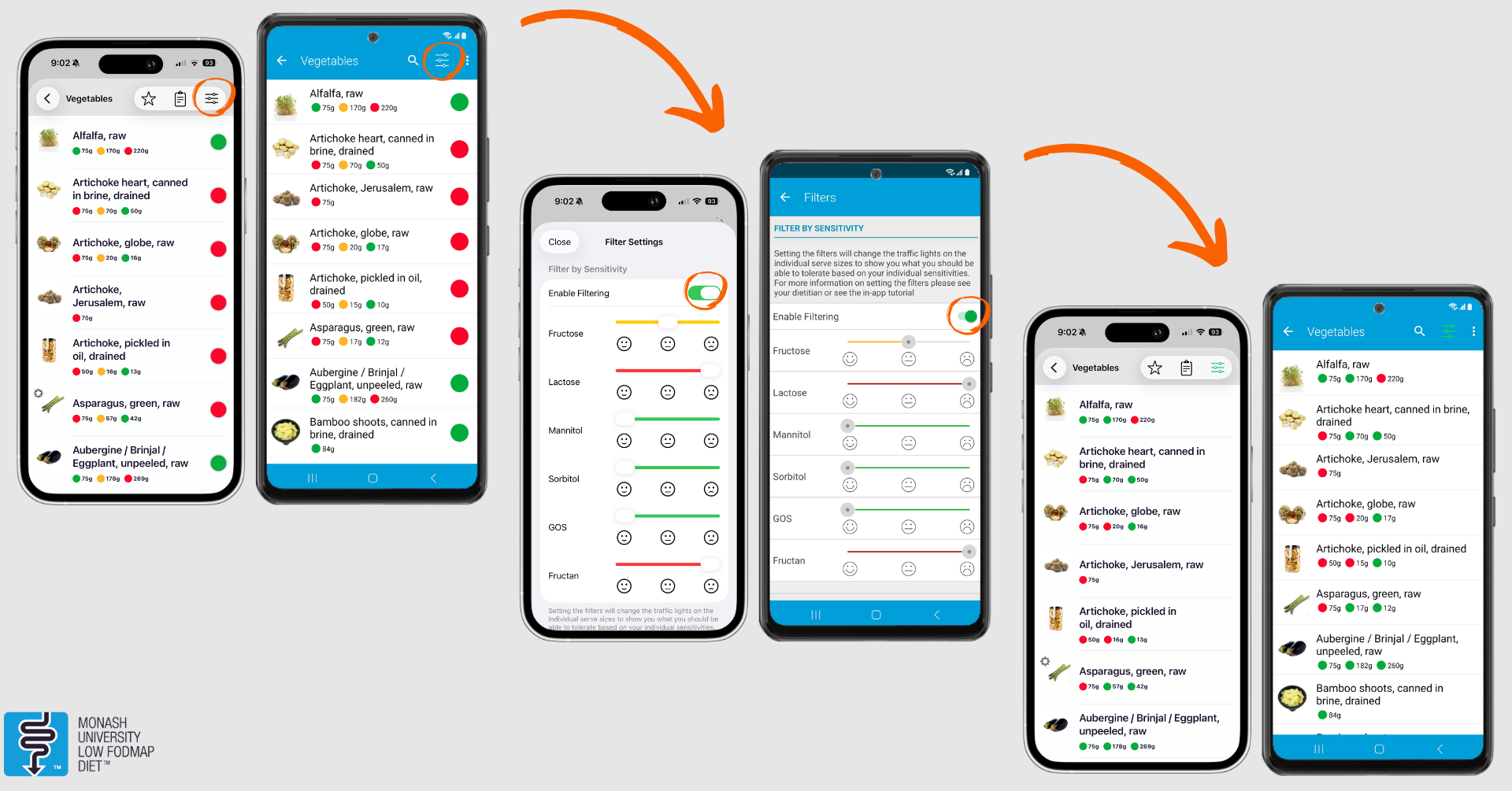
Have you noticed the filters in the Food Guide of the Monash FODMAP Diet App?
The filters are a handy tool to be used once you have completed step 2 of the diet, and you would like to tailor the Food Guide traffic lights to your sensitivities. This helps personalise your diet for long-term symptom management, whilst also helping to expand your food choices.
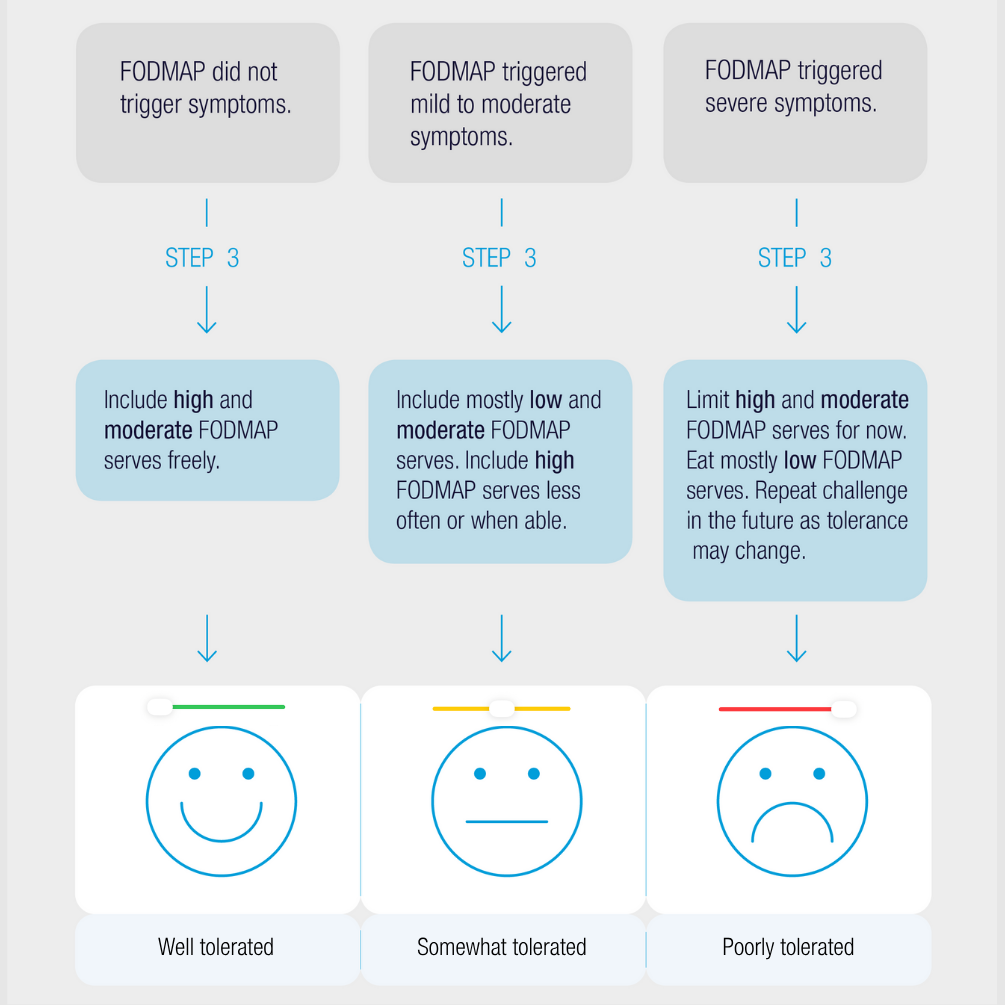
Once you have completed the various reintroduction challenges in step 2 of the FODMAP diet, you can now tailor your long-term intake to create your own personalised FODMAP diet in step 3. But how do you interpret your results from step 2 to do this? This chart below can help you reflect on how well you tolerated each challenge:
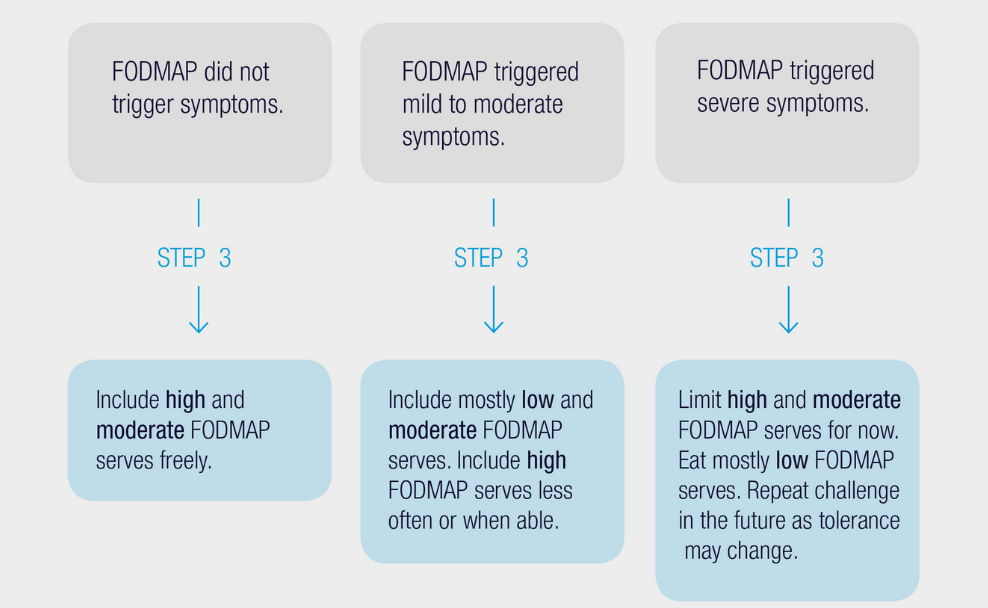
If you found that you had no symptoms over a 3-day reintroduction challenge, you can eat this FODMAP freely in your personalised FODMAP diet moving forward.
If you found that you experienced mild to moderate symptoms during the 3-day reintroduction challenge, you may want to stick to just the green (low FODMAP) and amber (moderate FODMAP) Food Guide servings of this FODMAP in your personalised FODMAP diet. Over time, however, you could retest your tolerance to larger serves to see if your tolerance has changed at all.
If you experienced severe symptoms during a 3-day reintroduction challenge, you may want to limit both the amber (moderate FODMAP) and red (high FODMAP) serving sizes of foods containing this FODMAP. Try sticking to just a low FODMAP serving size if possible. Again, as tolerances can change over time, you may want to retest this FODMAP again in the future.
To make your personalised FODMAP diet even easier to follow, you can activate the filters in the Food Guide to reflect your tolerances from step 2.
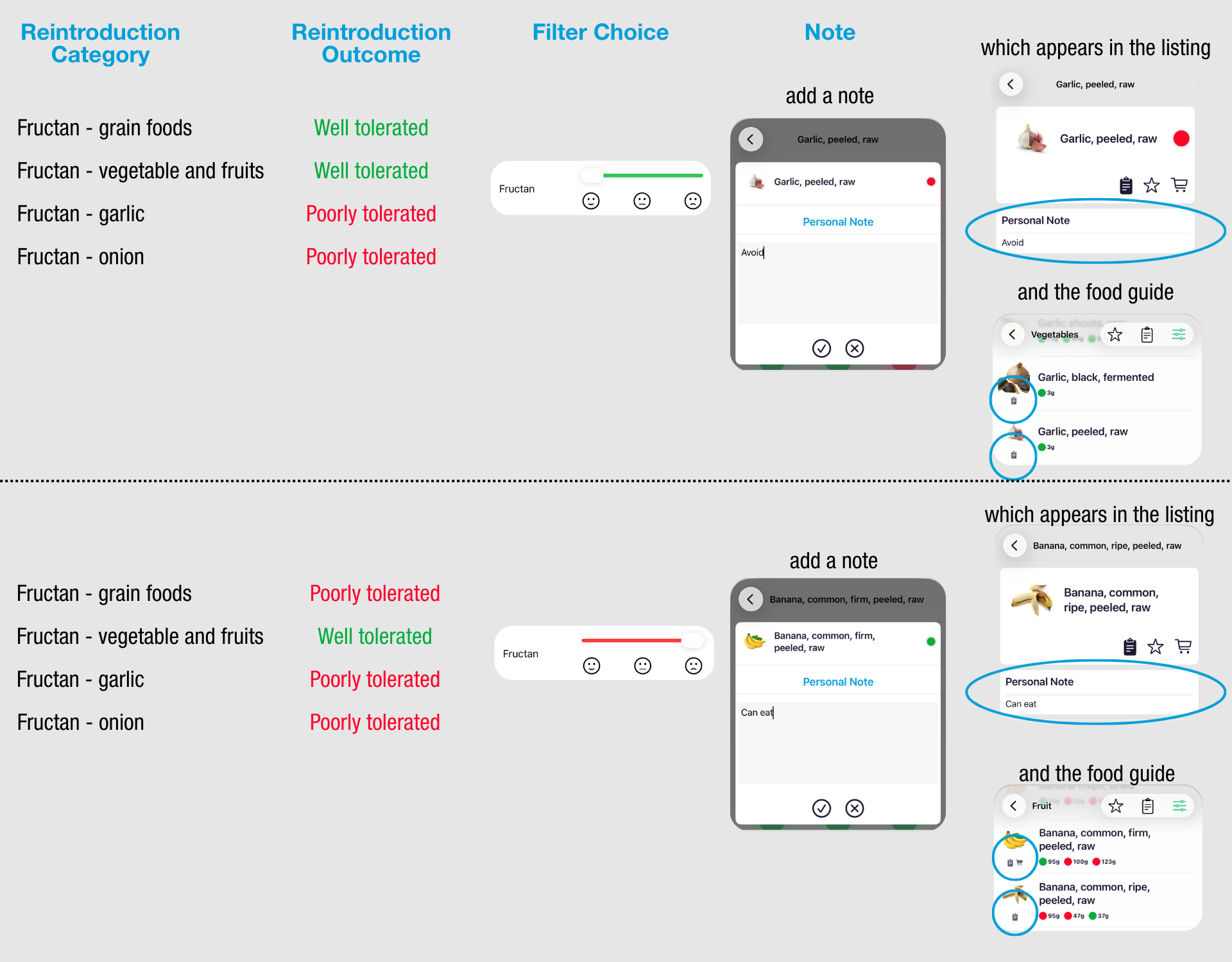
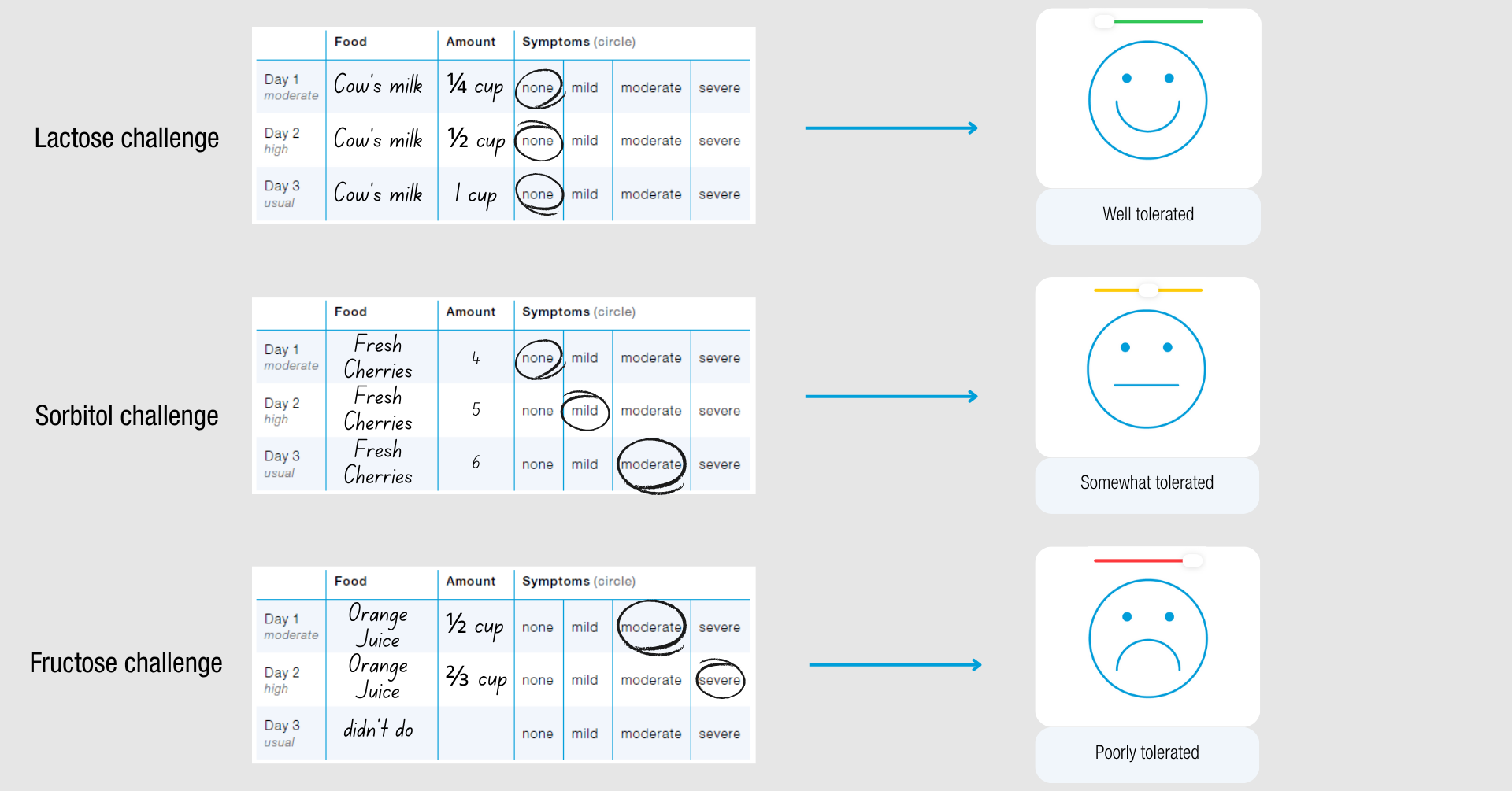
Here are some examples of how your reintroduction may look and how this might translate to the filters used:
Fructans are a tricky FODMAP as they are commonly found in many foods. We break the fructan category down within the reintroduction option, as some people often find that they can deal with fructans in some food types and not others.
For the filter, it would become a bit long and confusing in the filter selection page if we were to add a filter for each of the different fructan food types seen in reintroduction. We would suggest doing one of the two following options: